Made in Australia, for Australian uni students

Your whole semester, finally in one place

Get feedback on an essay against your marking criteria. Record a lecture and get structured notes and study cards. Know what you need on the final in real HD/D/C/P bands.

Free to use. No ads, ever. Your data stays in Australia.

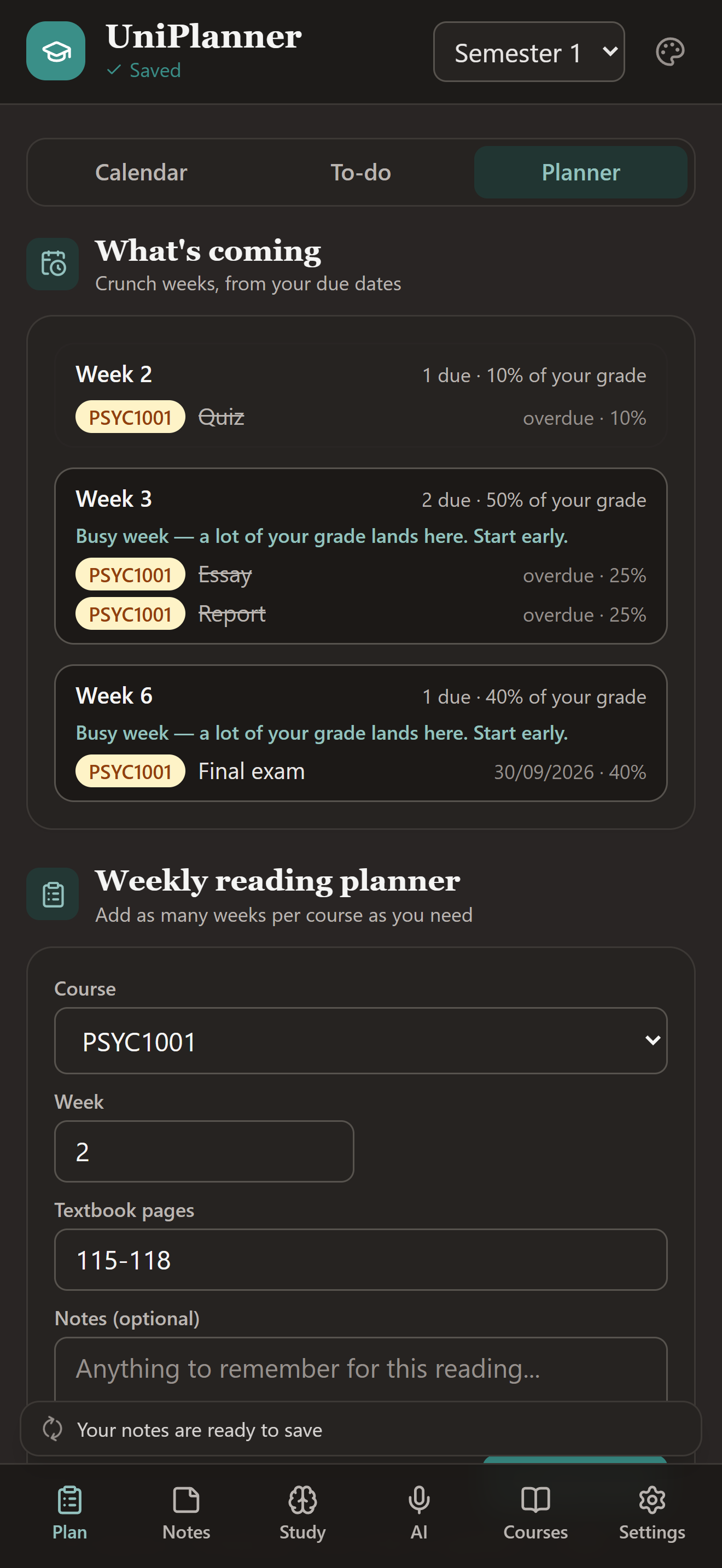
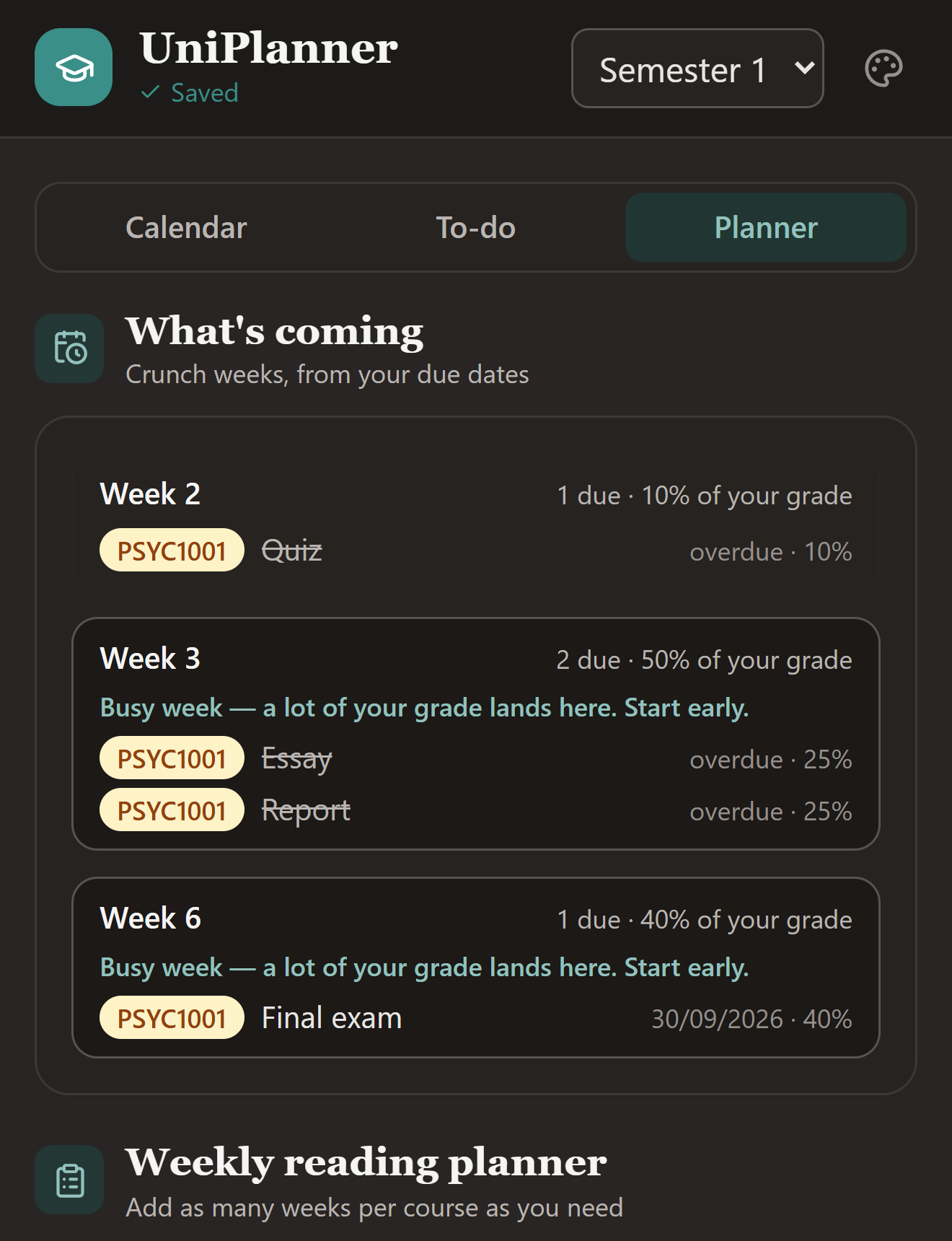
UniPlanner on a phone — the Plan tab, with the weeks ahead and what each one is worth.UniPlanner on a phone, showing the Plan tab: an Upcoming list with Week 2, Week 3 and Week 6, each naming the assessments due and what share of the grade lands that week.
HD / D / C / P grade bands
Teaching weeks, breaks included
Data stored in Sydney
Works offline

Five things it does better than a notebook

Feedback on your essays before you hand them in, your lectures written up by course, your marks worked out, and every deadline in the week it's due.

Essays

Feedback before you hand it in

Paste your draft and the marking criteria, or photograph the rubric, and get point-by-point feedback against what your marker is actually looking for.

  • Against your criteria, not generic advice. If the rubric has bands, it tells you which one you're in.
  • It never writes for you. Every point quotes your own words and tells you what to fix. Ask for an example rewrite and it sits beside your text, never in it.
  • Works from a photo of the marking guide, or paste the text.

AI lecture notes

Record the lecture. Get the notes.

Hit record at the start of a lecture and get back an overview, the key points, anything flagged as assessable, and study cards made from the terms that matter.

  • Keep using the app while it records, so you can write or check your planner
  • Watching a recorded lecture? Capture the audio directly for cleaner notes
  • Your recording is deleted as soon as it is transcribed, and never kept
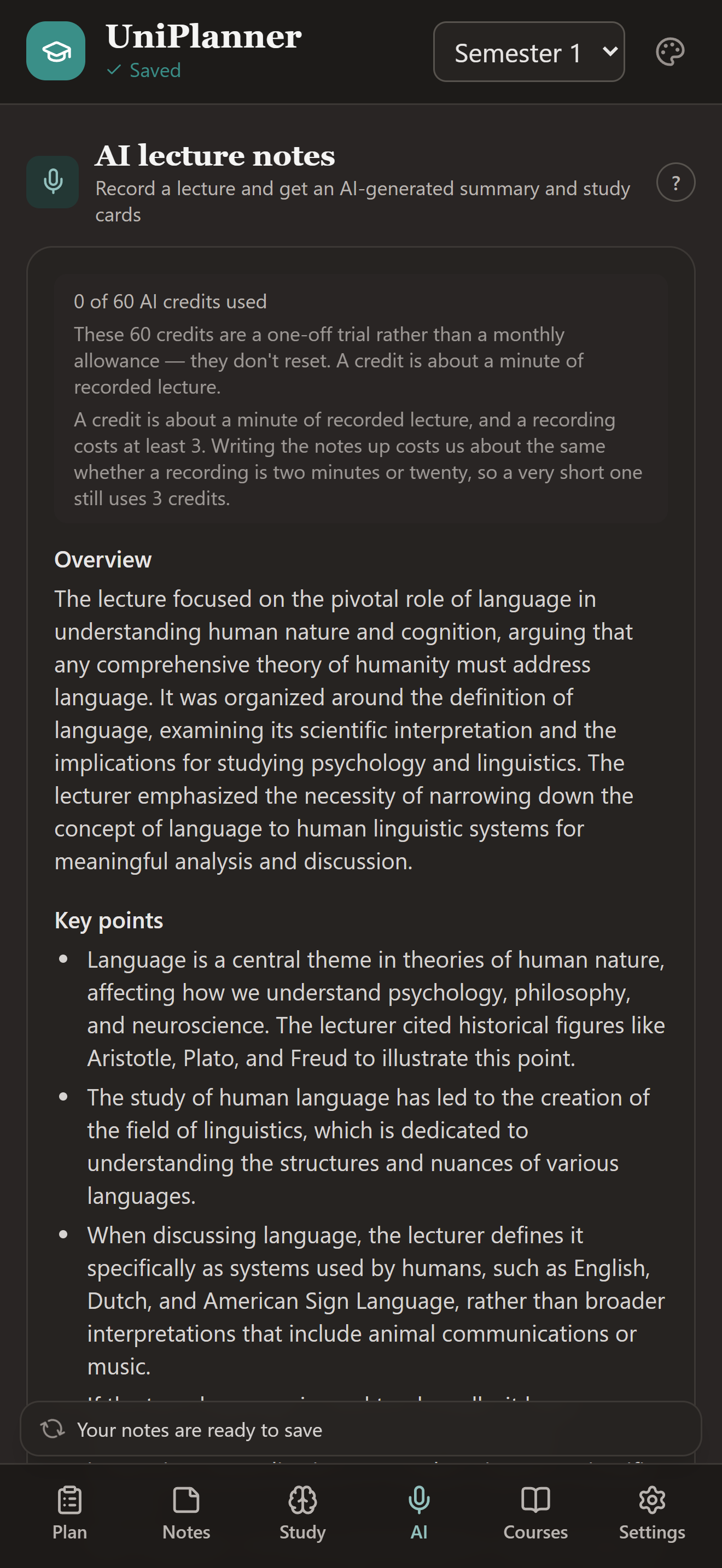
An AI lecture note — the overview and key points, written from a recording.An AI lecture note on a phone: an overview paragraph followed by key points, each several sentences long, written from a recorded lecture.

Grades

What do I need on the final?

Enter each assessment and its weight, add marks as they come back, and the app answers the only question that matters in week 12.

  • Real Australian bands. HD, D, C and P, not letter grades
  • Hurdles handled as actual thresholds
  • Rounding rule setting, because half a mark decides a grade
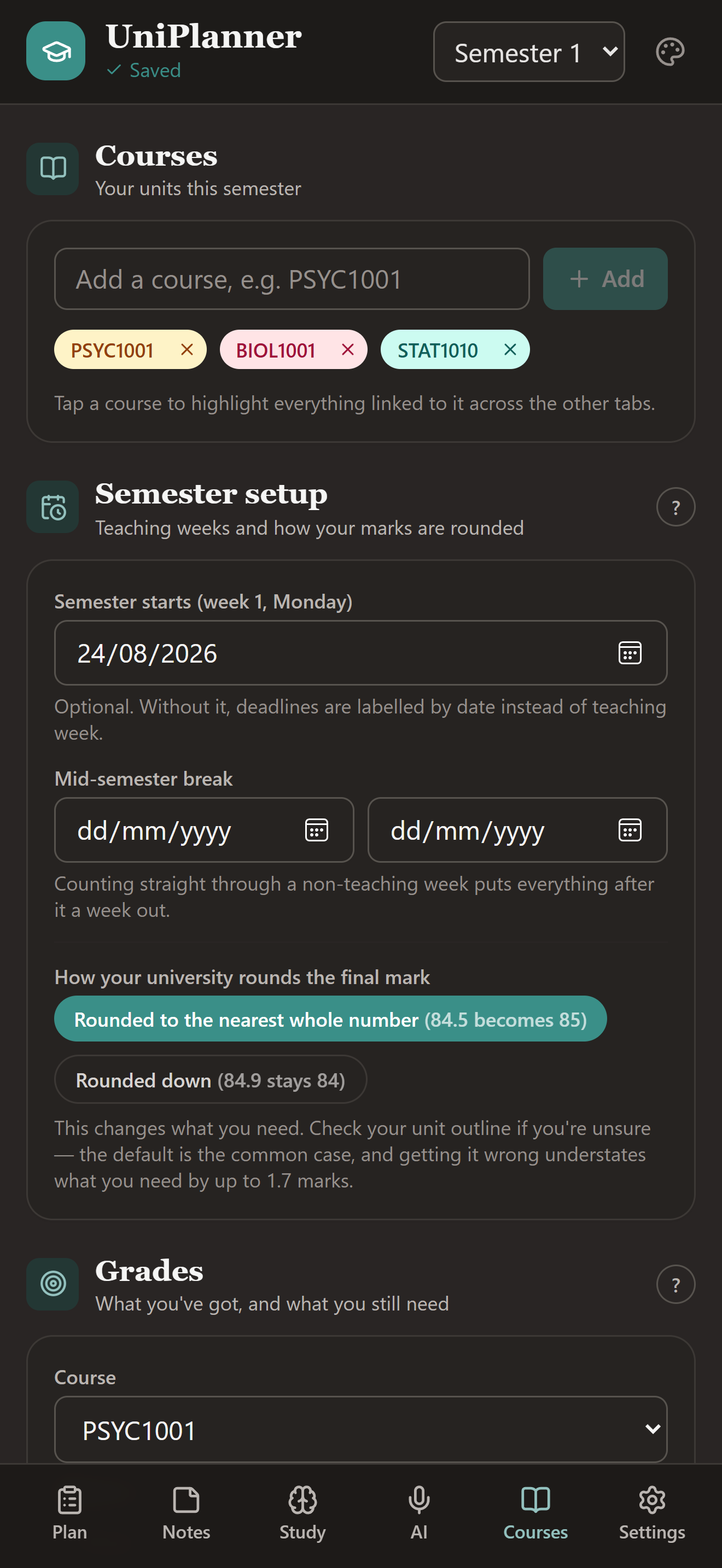
Courses, semester dates and the rounding rule — everything Grades works from.The Courses tab on a phone: three course tags, the semester start date and the rounding rule, with the Grades section beneath them.

Planner

Deadlines by week, not by date

Set your semester dates once and every deadline in the app knows it is due in Week 9, skipping the mid-semester break the way your unit outline does.

  • Paste a rubric and it becomes a tick-off checklist
  • Break an assignment into steps working back from the due date
  • Crunch weeks flagged before they arrive
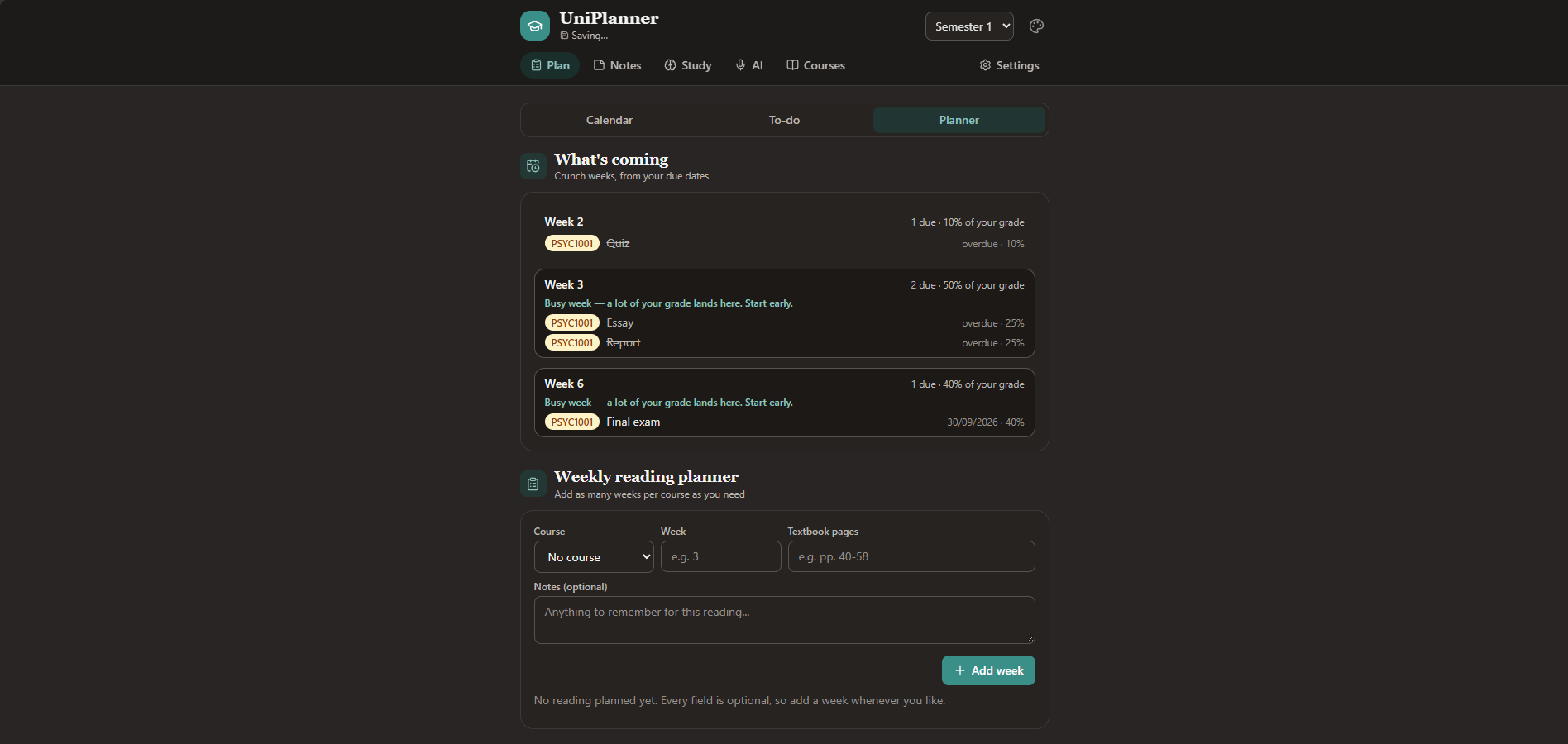
Deadlines by teaching week, with the busy weeks flagged before they arrive.The Plan tab on a phone: Upcoming lists Week 2, Week 3 and Week 6 with a busy-week warning, and the weekly reading planner sits below it.

Study

Revise what you keep getting wrong

Study cards on a spaced schedule. Cards you know drift out to weeks, cards you miss come back in the same session, so your revision time goes where it is actually needed.

  • Drill mode for the night before, when nothing is technically due
  • Weak spots, ranked, and the AI can tell you what they have in common
  • Explain it back in your own words and get told what you missed
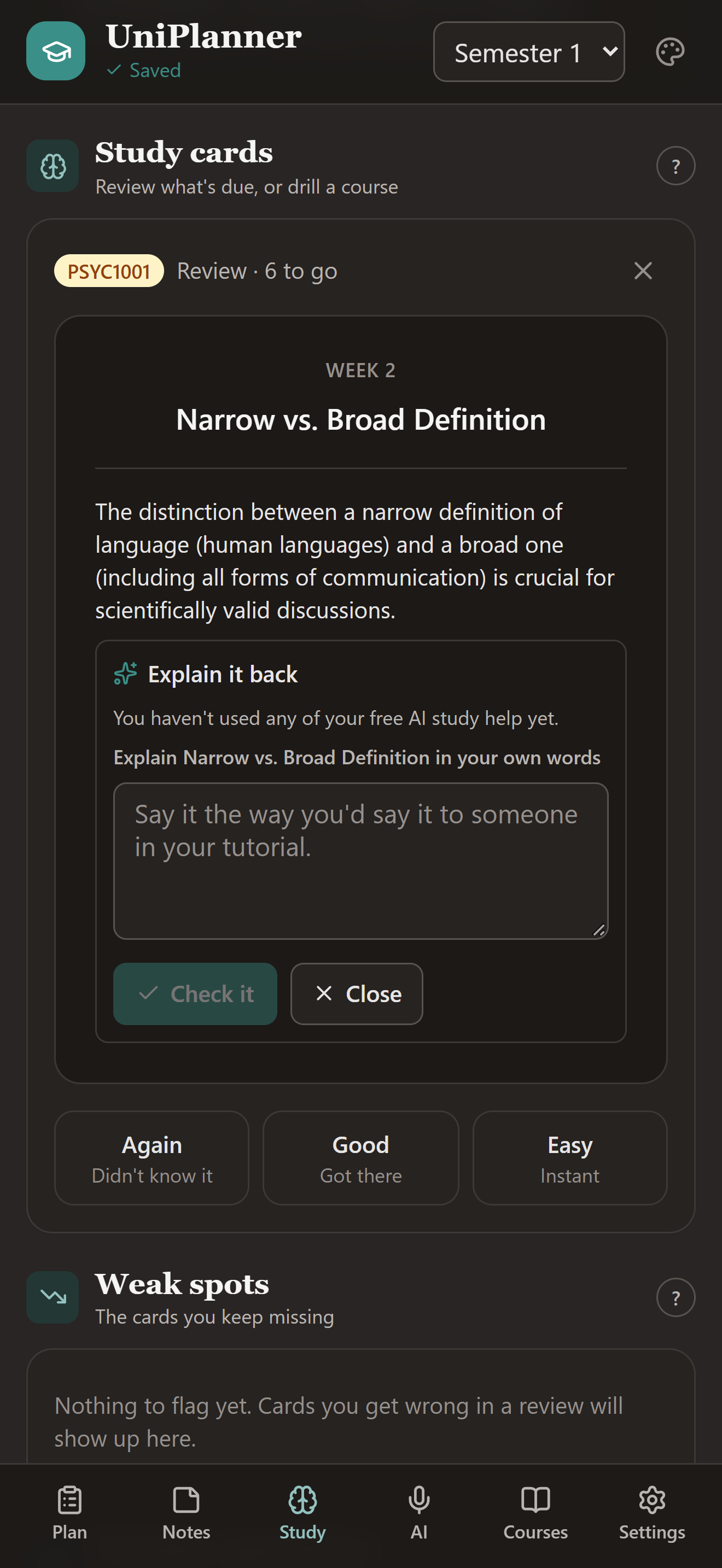
A card under review, with Explain it back open and Again / Good / Easy below.A study card under review on a phone, with an Explain it back box open beneath it and the Again, Good and Easy buttons below.

How the AI notes work

Three taps in a lecture theatre, and the write-up is done before you have packed your bag.

1

Pick your course and hit record

Close-by or room mode depending on where you are sitting. Then put your phone down and actually listen.

2

Stop when the lecture ends

The audio is transcribed and written up, then deleted. It is never stored, and it never trains anything.

3

Choose your study cards

Tick the terms worth remembering and save. The note files itself into that course's folder.

And the rest of it

Notes that sync

Type on your laptop, read on your phone. Everything stays in step.

Works with no signal

Lecture theatre basements included. Notes you have opened stay readable offline.

Reading planner

Track what is set each week per course, and tick it off as you go.

Semester archive

Box up a finished semester and start fresh. Grades and lectures stay readable.

No account needed

Use it without signing up and everything stays on your device. Nothing is sent anywhere.

Pricing

The planner is free and always will be. AI study help costs money to run, so that is the part that is paid.

Your data stays in Australia

Stored in Sydney. Not sold, not shared, and not used to train anything.

No ads, no tracking

There are no advertisements in UniPlanner and no third-party trackers in the app.

Delete everything, instantly

One tap in the app removes your account and every piece of data with it.

Recording an online class? Use the desktop app

An online class, a recorded lecture, anything playing through your speakers — the desktop app for Windows and Mac records it directly. Phones and tablets can only record through the microphone, and a browser will only offer it alongside a screen share.

UniPlanner on a laptop — the planner, with the week ahead.UniPlanner running in a desktop browser window, showing the planner with the weeks ahead.
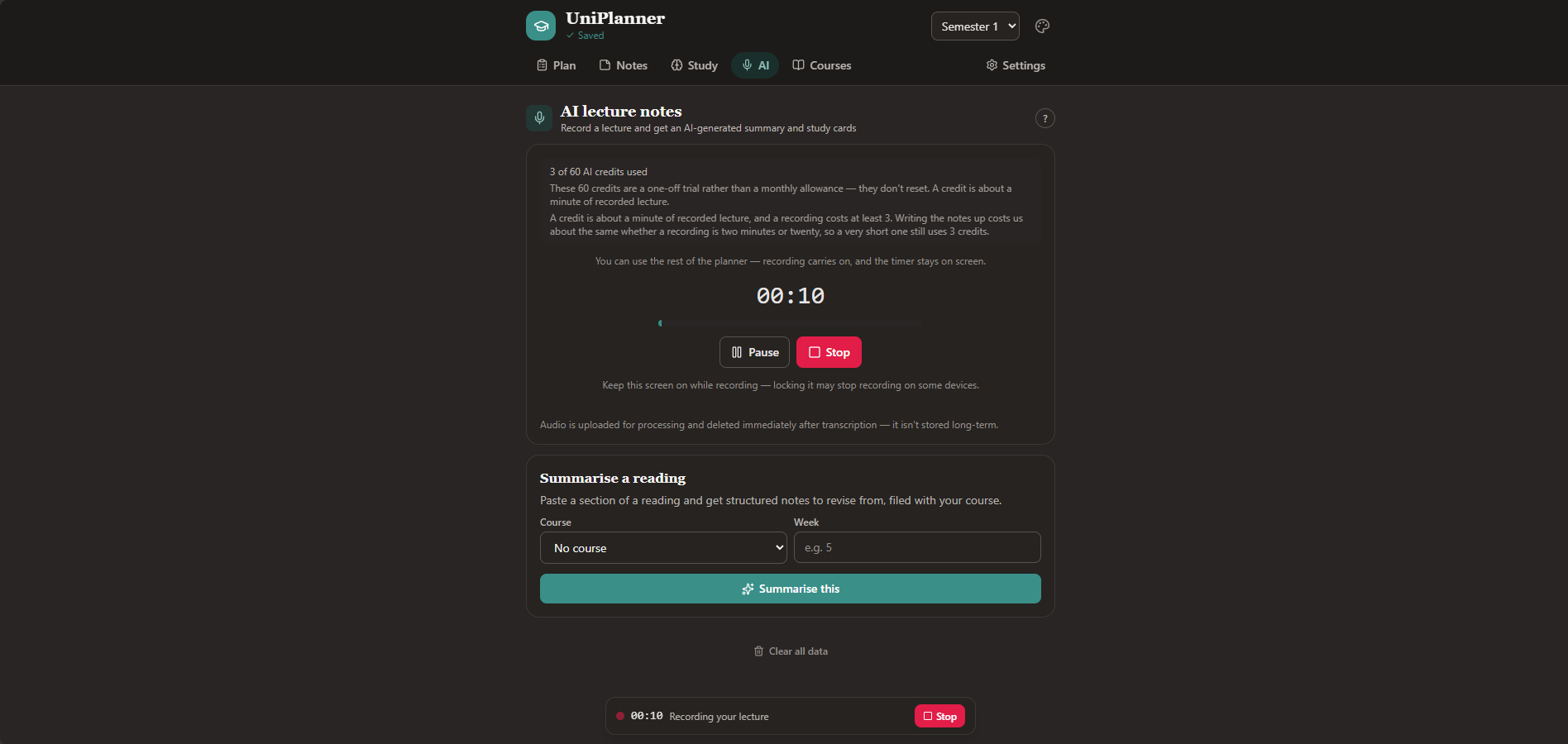
Recording an online class straight from the computer's own audio.UniPlanner on a laptop recording a lecture from the computer's own audio, with the recording indicator and timer running.

Download UniPlanner for Windows or Mac

Get UniPlanner

Free to download. The same app on every device, signed in or not.